MENU

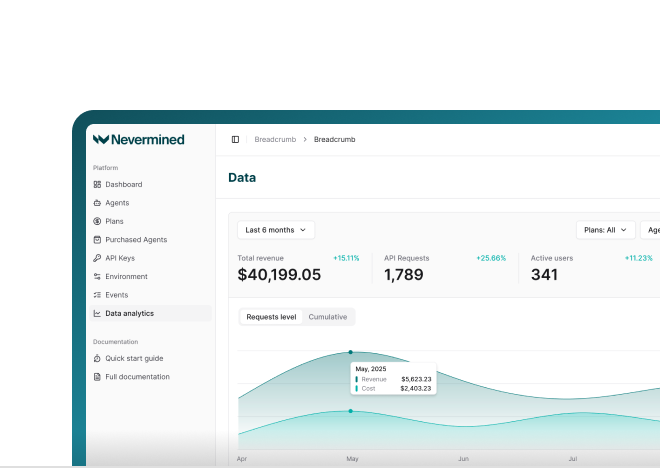

An AI agent with a budget will do the task, and it will also buy whatever it thinks the task needs.
In September we gave a coding agent a $40 budget and one instruction: build a website about yourself and put it online, paying for whatever you need on the way. It registered a domain and paid for hosting, ok, that's a website. Then it bought a screenshot of its own site, and apparently it also needed the narration and the music for a video about itself (the agent that bought its own website). It was our experiment, so we loved it. With your company's money, maybe not so much. The agent had a $40 cap, but nothing said what it could buy, because that didn't exist yet.
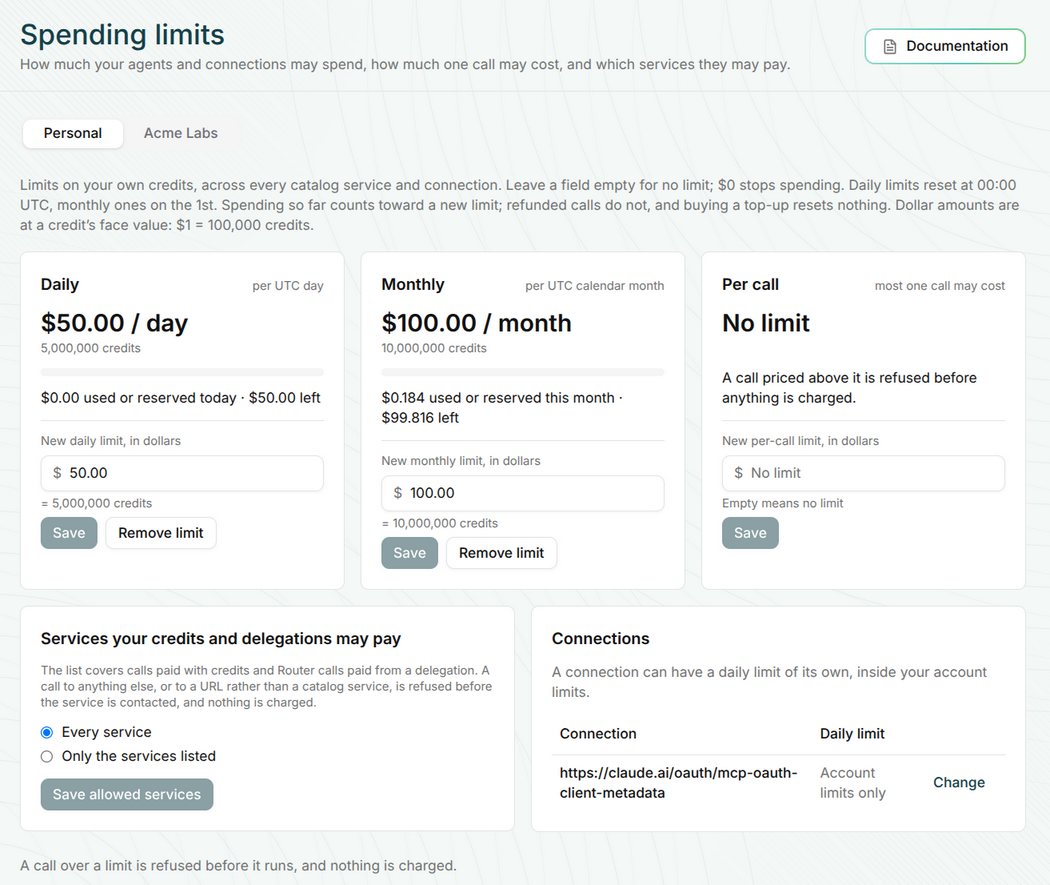
Until now, the limits you could put on an agent spending through Nevermined were only about how much. A daily limit, a monthly limit, a budget with an amount and an expiry. Which is important, but it says nothing about what the agent buys with that money, or how expensive one single call can be. Now you can decide that too. The new Spending limits page in the Nevermined App has every limit, for your own credits and for your organization's credit pool, and it's live now.
A budget protects the total. If you give an agent $100 for the month, it won't spend $101. But it can spend the $100 in one call, or on a service you never heard about, and technically it respected the budget. For a team putting agents in production, most of the times you know which services the agent needs. And you want it to use those and nothing else.
Everything is set in dollars, and the page shows the credits each amount is worth. A field left empty means no limit, and $0 stops the spending.
| Limit | What it does | Applies to |
|---|---|---|
| Daily | The most your agents spend in a UTC day | Your credits, and the organization's pool |
| Monthly | The most they spend in a UTC calendar month | Your credits, and the organization's pool |
| Per call | The most one call may cost, checked against the call's live price | Your credits, and the organization's pool |
| Allowed services | Every service, or only the services and endpoints you list | Your account, and the organization |
| Connection | A daily limit for one connected assistant, inside your account limits | Your credits |
| Member | How much each member may spend from the pool in a day | The organization's pool |
Daily limits reset at 00:00 UTC and monthly ones on the 1st. What you already spent counts toward a new limit, so setting one in the middle of the month doesn't give the agent a fresh start.
In the allowed services box you switch from "Every service" to "Only the services listed". Then you search the AI Services Catalog from the same box and add what the agent needs. You can add a whole service, or tick only some of its endpoints. For example, Zinc only for searching products and reading every seller's offer, and the whole Exa Search service.
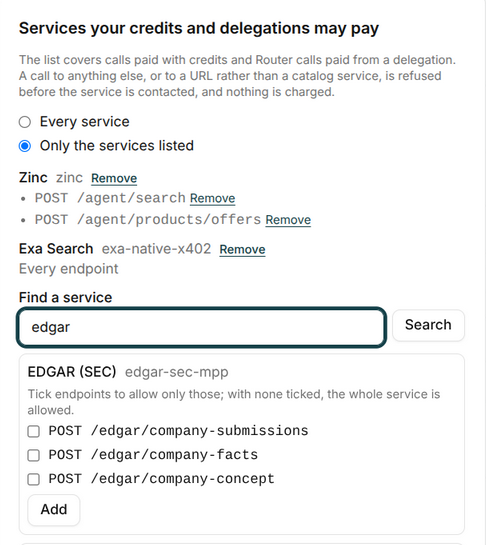
The list covers the calls paid with your credits and the calls through the router paid from a budget you delegated. A call to a service that is not on the list, or to a URL instead of a catalog service, is refused before the service is contacted. The service never sees the request, and nothing is charged.
The per call limit works in a similar way for credits. Before anything is reserved, the router compares the call's live price with your limit, and a call priced above it is refused. It applies to every credits call, with an API key, a connected assistant like Claude, or the Catalog MCP.
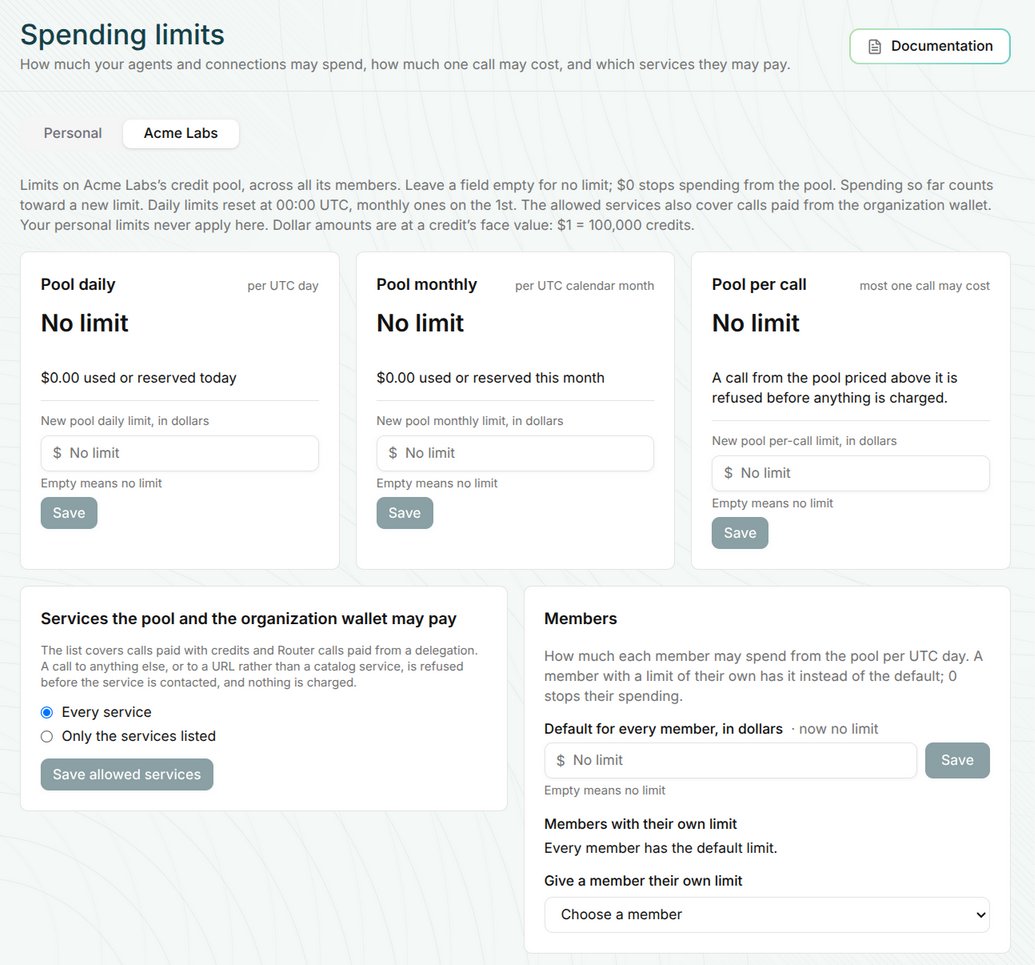
When you belong to an organization, its credit pool has its own tab with the same limits for the whole pool: daily, monthly, per call and the allowed services. On top of that, the admin sets how much each member may spend from the pool in a day, as a default for everybody, and a different limit for a specific member when it's needed. The organization's allowed services also cover the calls paid from the organization wallet. Admins edit the limits, and members see the pool's limits and their own. Your personal limits never apply to the pool.
Yes.
Each refusal has its own error code, and the code says which limit stopped the call and at which level, personal or organization (the API error codes, BCK.SUBSCRIPTION_ROUTER.0027 to 0030).
And since 19 November, an agent paying with credits can ask before calling.
The quote of a call says whether it would go through and, when it wouldn't, which limit blocks it, how much is left, when it resets and a link to the Spending limits page (API changelog, version 1.103).
So the agent can tell the person what is missing, instead of trying the call and failing.
Long story short, the agent still decides how to do the work, and you decide what it can pay for.
BCK.SUBSCRIPTION_ROUTER.0027 to 0030, read 2026-11-19Open Spending limits in the Nevermined App and set the first limit for your agents.
See Nevermined
in Action
Real-time payments, flexible pricing, and outcome-based monetization—all in one platform.