

The Catalog lists services you buy from. If instead you want your own API to get paid by callers, that’s the seller side — see the Payments Facilitator. You can be on both sides at once, and you can even add your own AI service to the Catalog so other buyers discover it.
See it in action
Watch the Catalog walkthrough — discovering a service and paying for it in one motion, from one budget:A walkthrough of the Nevermined Catalog.
What’s in it
Every listing is an external service that charges per request, on one of two payment rails the Router can settle:
Services that authenticate with a long-lived API key and bill you monthly aren’t in the listed set — there’s no per-call price on the wire for the Router to pay. The Catalog only surfaces what an autonomous agent can actually buy.
Listings are organized into a curated set of categories — Data & Enrichment, Search & Research, Crypto & Blockchain, Finance & Markets, AI & Media, Web Scraping & Automation, and more — each with granular sub-categories. See AI Services for the full offering and how to add your own, or Discovering AI Services for browsing and filtering.
How the Catalog and Router fit together
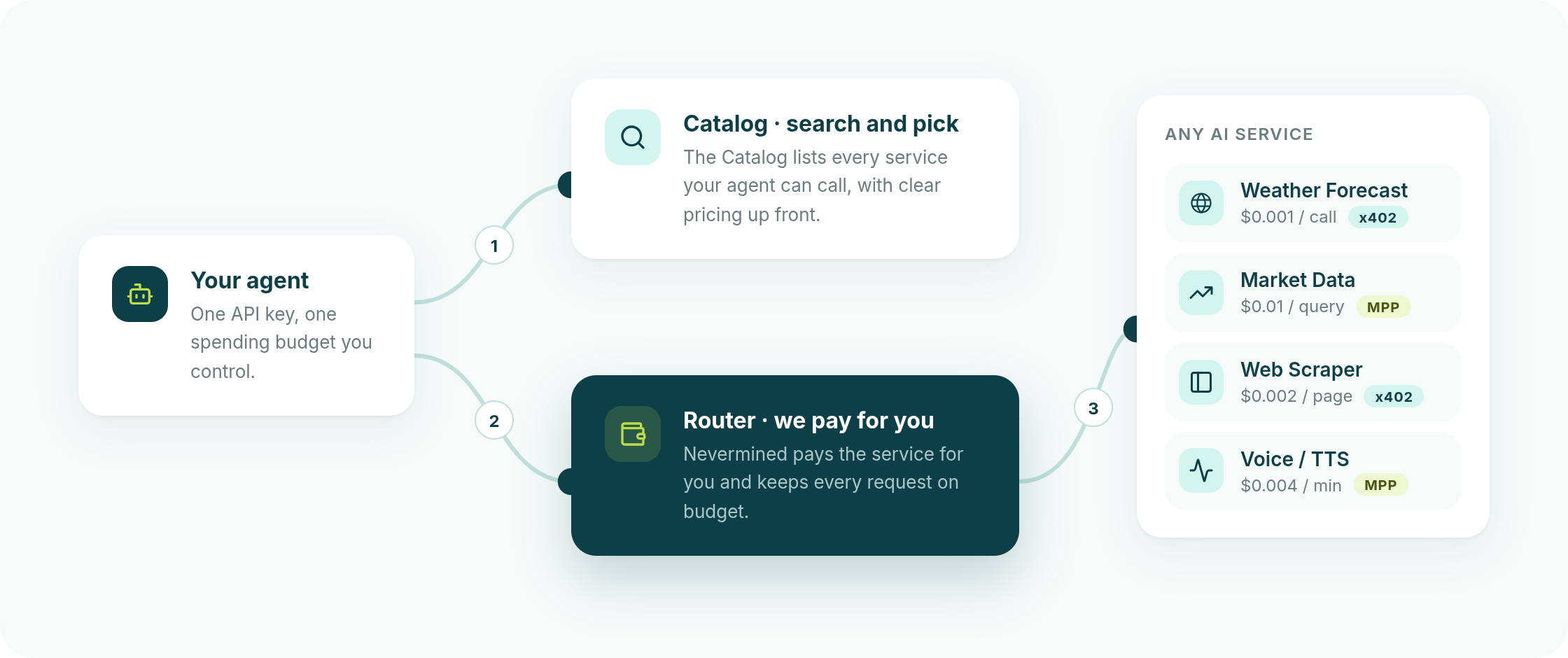
One agent, one budget, one API key — reaching many independent services it never had to sign up for. Those services are unrelated to each other and to Nevermined: different providers, different payment rails, no shared account. Your agent treats them uniformly because the Router, not the agent, speaks each rail.The Catalog: discover
Browse or query the directory to find a service that does what your agent needs, and read its price, protocol, and endpoints.
The Router: pay
Hand the Router the call you want made. It reads the merchant’s payment challenge, pays from your wallet, enforces your budget cap, and relays the answer.
What you need to buy through it
1
A Nevermined API key
Created from the Nevermined app. It authenticates you to Nevermined — never send it to a merchant. It must be a current-generation key; see the Router quickstart.
2
A Delegation
Your budget: a hard cap in cents and an expiry. Created once, reused for every payment until it’s exhausted or expires.
3
A funded wallet
Both rails pull from your own wallet, so it must already hold the payment asset on the network you’re paying on.
Three ways to use it
Natural language
Install the AI coding skill and just ask your assistant — “find a weather API and get me tomorrow’s forecast for Berlin.” It discovers, funds, pays, and returns the answer.
MCP
Wire the Catalog MCP into any MCP-capable host so the Catalog and Router become tools your agent can call directly.
Plain HTTP
Everything is public REST. Any agent, in any language, can query the Catalog and route a paid call with
curl or fetch.Driving the Catalog from an agent harness — Claude Code, Cursor, an MCP client, or your own runtime? Start with Using the Catalog from a harness: a concise, code-free playbook of the flow, the safety principles, and every link. It’s written to be handed to your agent as-is.
Environment
The Catalog is Live-only for payment. Discovery is public and works against either host, but every listed service settles on mainnet (Base and Tempo), so payment goes through the live host:Next
Using the Catalog from a harness
The code-free operator’s playbook — the flow, the safety principles, and every link. Hand it to your agent.
Using the Catalog from your web assistant
Connect the Catalog to Claude.ai, ChatGPT, or LangSmith Fleet — paste one URL, approve one cap, no code.
Build Outcomes
Describe the problem and a budget; the Catalog proposes the AI services to chain. Copy-paste prompts included.
Discovering AI Services
Browse the app, read the feed, and understand what “listed” means.
Catalog videos
Watch the overview, outcome examples, and the connect-from-your-assistant walkthroughs.
Router quickstart
From an API key to a paid call, in five steps.
How the Router works
The payment flow, the two call modes, and where custody sits.
Guardrails
What the Router enforces, what it refuses, and every error code it can return.